
Somewhere between the school run, the inbox, the meeting that ran long, and the dinner nobody’s started cooking yet, most days stop feeling planned and start feeling like they were survived. This is exactly where AI can help you plan your day stops being a tech buzzword and starts being genuinely useful not as another app to manage, but as a quiet assistant doing the mental math you don’t have time for. If AI has already found its way into other parts of your life, our AI section covers more ways it’s changing how women work and live.
Why Women Specifically Benefit From AI-Assisted Planning
Research on household and caregiving labor consistently shows women still carry a disproportionate share of the invisible, constant scheduling work — appointments, school events, family logistics, on top of their own jobs and goals. AI tools don’t remove that load, but they do something useful: they take the repetitive decision-making off your plate so your actual mental energy goes toward the parts only you can do.
What “Planning Your Day” Actually Means With AI
Before diving into tools, it helps to separate three things AI is genuinely good at:
- Sorting — turning a messy brain-dump into an ordered list
- Estimating — guessing how long tasks will realistically take
- Adjusting — rebuilding your plan the moment something changes

How AI Can Help You Plan Your Day, Step by Step
Start With a Brain Dump, Not a To-Do List
Instead of trying to write a clean list from memory, open any AI chat tool and just type everything on your mind — work deadlines, kids’ appointments, that email you keep forgetting. Ask it to sort the mess into categories like “urgent,” “can wait,” and “delegate.” This one shift alone removes the mental friction of deciding what to tackle first.
Let AI Build a Realistic Time Block
Once your list is sorted, ask your AI tool to turn it into a time-blocked schedule based on your actual working hours. A good prompt looks like: “I have these 8 tasks and I’m free from 9am–3pm with a 30-minute lunch. Build me a realistic schedule, not an ideal one.” That last phrase matters — it stops the AI from cramming your day the way a productivity influencer would, not the way a real week works.
Use AI as a Buffer for Interruptions
Plans fall apart the moment a call runs late or a kid gets sick. Instead of manually reshuffling everything, feed the change back in: “My 11am meeting ran until noon – rebuild the rest of my day.” This is where AI earns its keep over a static planner app; it adjusts in seconds instead of costing you ten stressed minutes. If juggling shifting family plans is the bigger challenge behind your schedule, our relationship and family section digs into the logistics AI alone can’t solve.
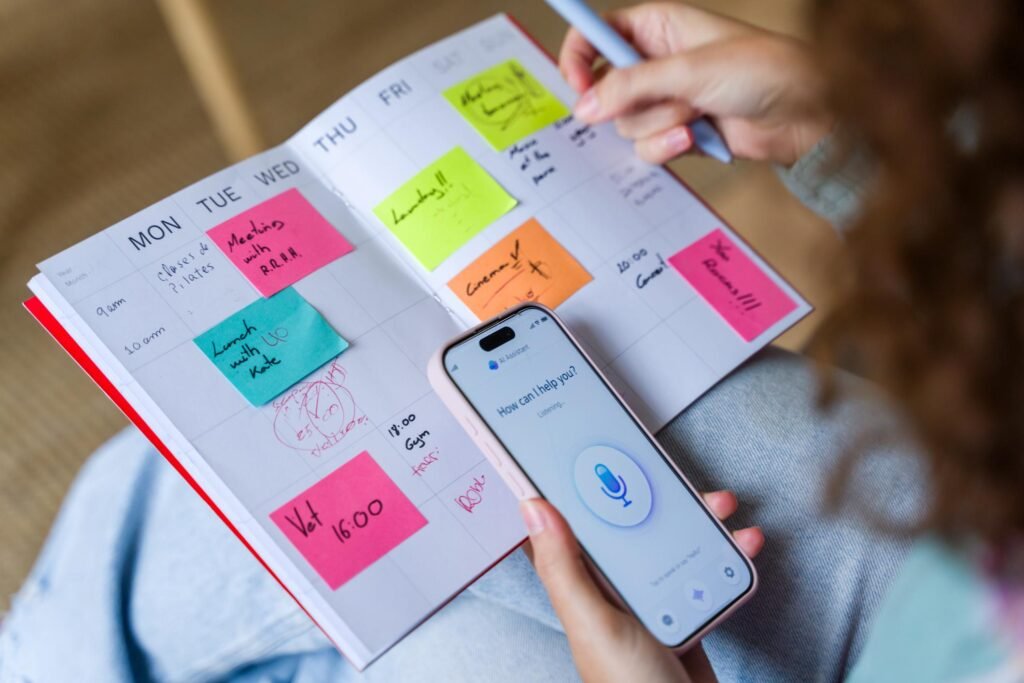
Comparing AI Planning Tools for Women’s Daily Schedules
| Tool Type | Best For | Learning Curve |
| AI chat assistants (Claude, ChatGPT) | Flexible planning, rebuilding schedules on the fly | Low |
| AI calendar apps | Automatic time-blocking synced to your calendar | Medium |
| Task-priority apps with AI sorting | Managing long, overlapping to-do lists | Low |
| Voice assistants | Quick capture while multitasking or driving | Very low |
| AI email/inbox tools | Cutting decision fatigue from a full inbox | Medium |
10 Prompts That Actually Save Time
If your goal is to create prompts specifically for planning a day, prioritizing tasks, time-blocking, and adjusting schedules, here are detailed prompts that produce much better results.
1. Turn My Task List into a 3-Priority Day
I have the following tasks for today. Turn this into a realistic 3-priority day instead of an overwhelming to-do list. Identify:
- The top 3 tasks that will have the biggest impact.
- Tasks that can be postponed.
- Tasks that can be delegated or eliminated.
- A simple schedule with breaks.
- An estimated completion time for each priority.
- A short explanation of why these are today’s priorities.
Here are my tasks:
[Paste task list]
2. What Can I Finish in 45 Minutes?
I only have 45 minutes available before my next commitment.
Based on the following task list, choose only what can realistically be completed within that time.
Prioritize high-impact tasks first.
Include:
- Exact order of tasks
- Time estimate for each
- Buffer time
- One optional task if I finish early
Task list:
[Paste tasks]
3. Build My Entire Day
Build a realistic daily schedule around:
- Start Time: 7:00 AM
- Hard Stop: 5:00 PM
Include:
- Deep work sessions
- Email/admin time
- Meetings (if provided)
- Lunch
- Breaks
- Buffer time
- Priority work
- Wrap-up routine
My tasks are:
[Paste tasks]
4. Rebuild My Day After Falling Behind
I missed my morning work block.
Rebuild the rest of my day without making it feel rushed.
Requirements:
- Keep lunch.
- Keep all important meetings.
- Move lower-priority tasks if needed.
- Protect at least one deep work session.
- Include short recovery breaks.
- Finish the day feeling productive rather than exhausted.
Here is my remaining schedule:
[Paste schedule]
5. Phone-Friendly Summary
Summarize today’s plan into only 3 short bullet points that I can quickly read on my phone.
Include:
- Today’s main priority
- The next important task
- One reminder or deadline
Keep each bullet under 15 words.
6. Time Blocking Planner
Turn my task list into a time-blocked schedule.
For each task include:
- Start time
- End time
- Duration
- Priority (High, Medium, Low)
- Energy level needed (High/Medium/Low)
- Expected outcome
My available hours are:
[Insert hours]Tasks:
[Paste tasks]
7. Productivity Coach Planner
Act like an executive productivity coach.
Review my task list and create the most effective schedule possible.
Help me:
- Avoid multitasking
- Reduce context switching
- Group similar tasks together
- Schedule demanding work during high-energy periods
- Leave recovery time between work sessions
- Finish the day with a review and tomorrow’s planning
My tasks:
[Paste tasks]
8. Perfect Day Planner
Design the most productive version of my day based on my available time.
Include:
- Morning routine
- Deep work
- Communication block
- Meetings
- Breaks
- Exercise
- Lunch
- Learning time
- Admin work
- Evening shutdown routine
My available time:
[Insert schedule]
9. Smart Prioritization Prompt
Analyze my task list using the Eisenhower Matrix.
Categorize everything into:
- Urgent & Important
- Important but Not Urgent
- Urgent but Less Important
- Eliminate or Delay
Then create today’s schedule based only on the most important work.
10. AI Daily Planner (Best Overall Prompt)
You are an expert productivity coach and time-management strategist.
Based on my tasks, available hours, deadlines, and energy levels, create a realistic day plan that maximizes productivity without causing burnout.
Your plan should include:
- Top 3 priorities
- Time-blocked schedule
- Estimated duration for each task
- Breaks and lunch
- Buffer time for unexpected interruptions
- Tasks to postpone
- End-of-day review
- Three key goals for today
- A short mobile-friendly summary
Available time:
[Insert schedule]Tasks:
[Paste tasks]Deadlines:
[Insert deadlines]Energy level today:
[High / Medium / Low]
These prompts are specific enough to produce actionable day plans rather than generic schedules, making them well suited for personal productivity or AI-assisted planning.

Common Mistakes Women Make When Starting With AI Planning
- Treating it like a rigid rulebook. AI-built schedules are a starting draft, not a contract — adjust freely.
- Skipping the context. A prompt without your actual hours, energy levels, or hard stops produces a generic, useless schedule.
- Not asking for a rebuild. Many people abandon the plan the moment it breaks instead of asking AI to fix it in seconds.
- Ignoring recovery time. A good AI prompt should always leave room to breathe — ask for it explicitly if it isn’t offered.
Building a Sustainable Routine, Not Just a Productive Day
A single well-planned day feels good; a repeatable system is what actually changes your week. Try asking your AI tool to review your last five days and flag patterns – recurring time drains, tasks that always slip, or blocks that consistently run long. That kind of light weekly review, done in under five minutes, tends to matter more than any single day’s perfect schedule.
Productivity holds up better when the mindset behind it does too. On the days a schedule still feels impossible, this piece on turning setbacks into momentum is a useful reset before you touch your planner again. And if the exhaustion behind a chaotic schedule runs deeper than logistics, our guide to building real emotional resilience is worth reading alongside this one.
For a deeper look at how AI is reshaping everyday time management, McKinsey’s research on generative AI and productivity is a solid, well-sourced starting point.

FAQ: Using AI to Plan Your Day
There’s no single best option – AI chat assistants work well for flexible, changing schedules, while AI calendar apps suit people who want automatic time-blocking without typing prompts daily.
Stick to general task descriptions rather than sensitive personal details, and check the privacy settings of whichever tool you use, especially for anything tied to your family’s schedule.
Be specific about your actual free hours, energy levels, and hard stops in your prompt, and explicitly ask for a “realistic” rather than “ideal” schedule.
Yes – this is where AI planning outperforms static planners, since you can simply describe the change and get an updated schedule in seconds instead of manually rebuilding it.
Final Thought
Learning how AI can help you plan your day isn’t about optimizing every minute of your life – it’s about handing off the repetitive scheduling work so your energy goes toward the parts of your day that actually need you. Start with one prompt tomorrow morning, and let the tool do the sorting you’ve been doing manually for years.
Which part of your day would you hand off to AI first? Share this guide with a friend who’s still planning her week on sticky notes.